
Symptoms:
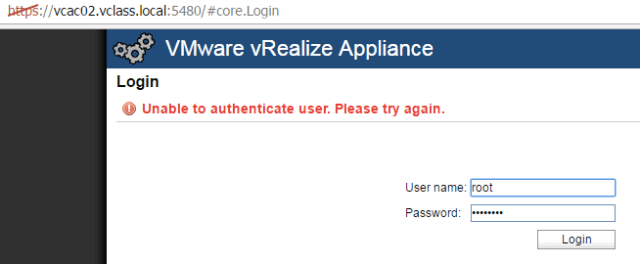
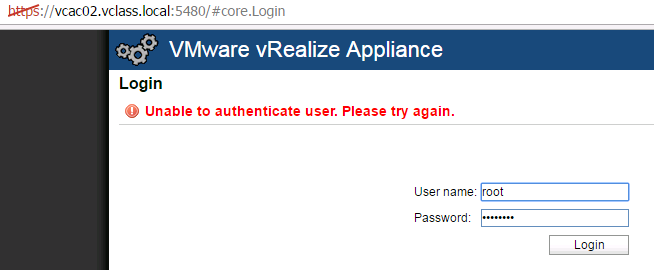
- Logging in to the VMware Appliance Management website fails with error message as “Unable to authenticate user. Please try again”
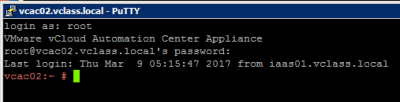
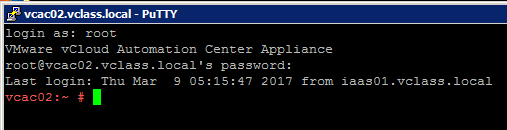
- You can successfully log in to the console of the appliance using the same root account with the same password.
Cause:
This issue occurs when the root password expires. The appliance root account password expiration is defined to be 365 days. If the password is not changed before this time passes the root user cannot log in to the Appliance management console.Resolution:
- Log in to the appliance using your root account.
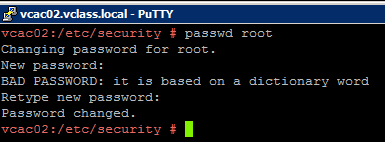
- You can reset the password by running the command: passwd root
- This will reset the root password for another 365 days.
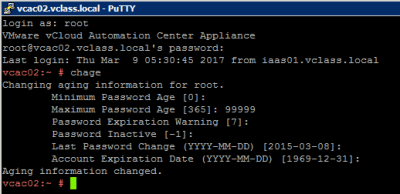
- Alternatively, if you do not wish to change password, you can extend the root password expiry date by running this command:
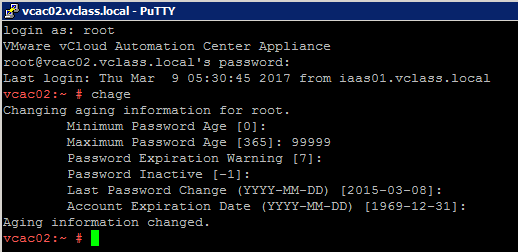
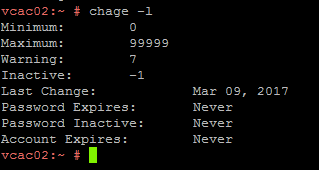
- To check the password settings, run this command: chage -l

- In this example, I changed “Maximum Password Age” to 99999. Rest all values are defaults. However, ensure that you verify with internal policies of your organisation prior to applying this setting.
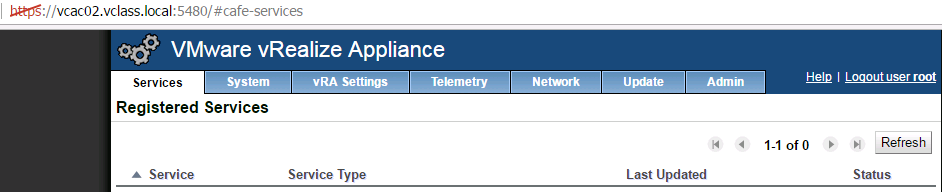
- Once the required change is done, you can verify the access is restored.
I hope this helps!!!!!


 Virtual Maestro
Leave a comment